


Best Free Tools & Full Guide to Play DnD Online
Distance is no longer a barrier to playing DnD and you don’t need an expensive gaming PC or software to play it either. This guide covers the best free platforms, how to play DnD online with friends, and where to find players no matter your experience level.

D&D used to mean gathering everyone around a table, rolling dice, and arguing about who forgot to bring snacks. That’s still great, but it’s no longer the only option. Whether you’re trying to keep a campaign alive with friends who moved away, looking to play D&D remotely with friends across different cities, or just figuring out how to play D&D online for beginners without a local game store nearby, the tools to do it are free, widely available, and easier to pick up than they look.
This guide covers everything you need to know: what tools to use, the best websites to play D&D online, how to play D&D online for free, how to set up a game with friends, and where to find a group if you don’t have one yet.
What You Need to Play D&D Online
The good news: free DnD online play is more accessible than most people expect, and most of what you need costs nothing. The setup is simpler than it looks, and you don’t need a gaming PC or expensive software to get started. At its core, D&D online play comes down to three things: a virtual tabletop for maps and dice rolling, voice chat so everyone can communicate in real time, and digital character sheets to track everything mid-session. Once those are in place, online play feels a lot like sitting around a real table. Most players are surprised by how fast it clicks, even if they’ve never played remotely before.
Internet and Hardware
Any modern laptop or desktop will work. Most virtual tabletops run directly in a browser, so you don’t need high-end specs. A stable internet connection matters more than processing power. If your connection drops mid-session, it disrupts the whole table, so a wired connection is worth using if you have one. A decent headset also goes a long way, since built-in laptop microphones pick up background noise that gets distracting fast.
Voice Chat
Discord is the go-to for almost every online D&D group. It’s free, runs on any device, and lets you build a dedicated server for your campaign with separate channels for scheduling, session notes, lore, and character info. Most groups treat their Discord server as the campaign hub between sessions, not just a voice tool during them.
Zoom, Skype, or any other Discord alternatives can work for voice if your group already uses them, but they lack the persistent structure that makes Discord so useful for long-running campaigns. For anyone starting fresh, Discord is the clear choice.
Digital Character Sheets
D&D Beyond is the standard. It handles ability scores, spell slots, inventory, hit points, and modifier math automatically, which cuts down on interruptions mid-session. The character builder walks new players through every choice step by step, making it the best option for anyone learning how to play D&D online for the first time.
Most virtual tabletops also have built-in character sheets, and some integrate directly with D&D Beyond so character data syncs automatically. Either approach works depending on how much you want consolidated in one place.
Virtual Tabletops
A virtual tabletop is software that lets the DM share maps and place tokens representing characters, monsters, and NPCs. Players move tokens during combat and interact with the map in real time, which is the digital version of laying out a battle mat with miniatures and what makes D&D online play feel like an actual tabletop game rather than just a voice call.
Most platforms include battle maps, tokens, a digital dice roller with automatic modifier math, an initiative tracker, and fog-of-war controls so players only see what their characters have discovered.
The three most common platforms for playing D&D 5e online are Roll20, Foundry VTT, and Owlbear Rodeo. Roll20 is the easiest starting point, Owlbear Rodeo is the fastest to set up, and Foundry gives experienced DMs the most control. That said, the best VTT simulators for your group really depends on table size, budget, and how much setup you’re willing to do.
Where Players Find Others to Play DnD Online
As Seen On:















How to Play D&D Online With Friends
If you already have a group, setting up an online game is mostly a logistics question. Here’s how to play D&D with friends online, whether you’re all in different cities or just prefer the flexibility of playing from home.
Step 1: Set Up Discord
Before anything else, create a Discord server for your group. Add channels for scheduling, session recaps, lore, and character info. Discord handles both voice chat during sessions and campaign organization between them. It’s the backbone of most online D&D setups, and getting it in place first makes everything else easier to coordinate.
Step 2: Choose Your Virtual Tabletop
Pick the platform that fits your group’s experience level. For groups new to playing D&D remotely with friends, Owlbear Rodeo gets everyone into a game with the least friction. Roll20 works better for groups that want more features and don’t mind a short learning curve. If you’re an experienced DM running a long campaign, Foundry VTT is worth the investment.
Step 3: Build Your Characters
D&D Beyond is the easiest website to play D&D online with friends when it comes to character creation. The builder walks players through every decision, and characters can be shared via link so the DM can review the whole party before session one. For groups who prefer to keep everything inside the VTT, Roll20 and Foundry both have their own character sheet tools. Some setups also sync D&D Beyond characters directly into Foundry, giving you the best of both.
Step 4: Prepare Maps (DMs Only)
Dungeon Masters upload maps for encounters, towns, and exploration before each session. Most VTTs accept standard image files, so you can use free maps from Reddit’s r/battlemaps, buy map packs, or build your own with tools like Dungeon Map Doodler. Having two or three backup maps ready is useful in case the session goes somewhere unplanned, although a practical D&D session prep checklist can help you prepare flexible situations without mapping every possibility. In Roll20 and Foundry, fog of war lets you reveal only the areas players have explored, which adds a lot to exploration-heavy games.
Step 5: Run the Session
Everyone joins the Discord voice channel, the DM opens the VTT with the map loaded, and the game begins. Roleplay scenes work the same way they do at a physical table: players describe what their characters say and do, the DM narrates the response. When combat breaks out, players move tokens on their turn, roll dice through the platform’s built-in roller, and track damage through their character sheets.
Initiative order, spell durations, and conditions are all visible on screen, which keeps combat moving faster than it often does in person. Between sessions, Discord keeps the group connected. Many DMs post recaps, share art, or drop story hints to keep players engaged between game nights.
Find Players Who Play DnD Online Just Like You
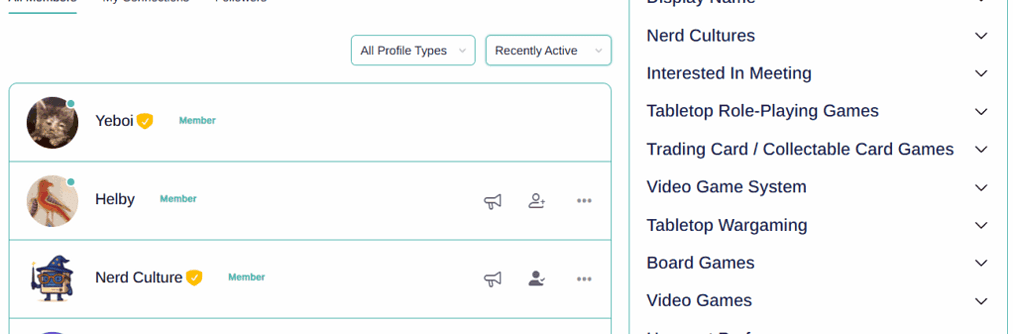
Playing DnD online with the right people makes all the difference. Nerd Culture’s Member Search connects you with players and DMs who match your playstyle, availability, and experience level.
The Best Websites to Play D&D Online
What is the best website to play D&D online? The right answer depends on what kind of experience you want. There’s no single option that wins for everyone, but the platforms below cover the most popular places to play D&D 5e online at every level.
Roll20: Best Starting Point for Most Groups
Roll20 is the most widely used platform for D&D online play, and it’s where most people land when they’re figuring out how to play online D&D for the first time. The free tier includes battle maps, tokens, a dice roller, initiative tracker, built-in character sheets, and access to a large library of community-created content, all running in a browser with no downloads required.
The tradeoff is that Roll20’s interface takes some getting used to, and some automation features are locked behind a paid subscription. For most groups just starting out, though, the free tier has everything you need to run a full campaign.
Owlbear Rodeo: Fastest Setup, Zero Friction
Owlbear Rodeo is the best website to play D&D online with friends when you want to get a game going quickly. You upload a map, share a link, and players join without creating an account. There’s no configuration required, which makes it ideal for one-shots, pickup games, or groups who want to try D&D online play before committing to a more feature-heavy platform. It’s more limited than Roll20 for long campaigns, but as a free service to play D&D online, it’s hard to beat for simplicity.
Foundry VTT: Best for Experienced DMs
Foundry VTT is a one-time purchase that gives DMs significantly more control than either Roll20 or Owlbear Rodeo. It supports dynamic lighting, a large library of free and paid modules, deep automation, and direct integration with D&D Beyond. Most groups that switch to Foundry don’t go back.
The upfront cost and self-hosting requirement make it less beginner-friendly, but for long-running campaigns or DMs who want to build immersive, highly detailed experiences, it’s one of the strongest places to play D&D 5e online.
D&D Beyond: Best for Character Management
D&D Beyond isn’t a virtual tabletop, but it earns a spot here because it’s a core part of most online setups. The free tier includes the basic rules and a full character builder, which is more than enough for most groups. Players can share characters via link, and DMs can view the full party at a glance before a session. Paid content like official sourcebooks is optional; you can run a complete campaign without spending anything on the platform.
How to Play D&D Online for Free
So can you play D&D online for free? Absolutely. Most groups start entirely on free tools and only consider paid upgrades once they know what they actually need. Here’s what a free D&D online play setup looks like and where you can play D&D online for free without spending a cent:
- Owlbear Rodeo is a free virtual tabletop with no account required. Upload a map, share the link, and start playing.
- Roll20 (free tier) has more features than Owlbear Rodeo, including built-in character sheets and a dice roller, and is still completely free to start.
- Discord is free voice and text chat that runs on any device. It handles everything from in-session voice calls to campaign note channels between sessions.
- D&D Beyond (free tier) includes the basic rules, a full character builder, and character sheet hosting at no cost.
Using these four tools together, groups can run complete campaigns without paying for any software. Paid upgrades exist on Roll20 and D&D Beyond, and Foundry VTT requires a one-time purchase, but none of that is necessary to get started. How to play D&D online free is one of the most common questions from new players, and the short answer is that the free tier across these platforms covers everything you need for a full campaign.
Where to Find People to Play D&D Online
If you don’t already have a group, finding one online on platforms like GameTree are easier than finding a local game. The player pool is global, sessions run across every time zone, and most communities are welcoming to beginners. Here are the best places to start:
- Nerd Culture organizes community groups by location, game type, and experience level, making it good for finding groups that match your play style and not just your schedule. Their own dedicated D&D group finder page would be an excellent place to start your search.
- Discord LFG servers are a great starting point. Search for D&D Looking for Group servers and look for dedicated LFG channels where DMs post open seats and players can apply.
- Reddit r/lfg is one of the most active LFG communities for tabletop games. Posts are organized by system, experience level, time zone, and whether the game is free or paid, with new listings going up every day.
- Roll20 campaign listings are built into the platform, where DMs advertise open games filterable by system, session frequency, and whether a paid GM is running the table.
- D&D Beyond forums have an LFG section where players post availability and DMs recruit. Because everyone is already on the platform, sharing character sheets is easy.
Most listings include the campaign setting, session schedule, required experience level, and whether the game is free or paid. Some DMs run games as a hobby; others charge through sites like StartPlaying.games. Both are legitimate. When applying, a short intro covering your experience level, availability, and what kind of game you’re looking for helps DMs say yes faster. If your schedule is tight or you’d rather get comfortable with the tools before joining a group, solo D&D is a completely valid option.
Need a Crew to Play DnD Online With?
Finding people to play DnD online with friends or strangers has never been easier. Nerd Culture’s Group Search connects you with active online DnD groups filtered by location, availability, and experience level.
Why Play D&D Online
Online D&D play started as a workaround for groups that couldn’t meet in person. For a lot of groups, it’s become the preference.
Play D&D with friends regardless of distance: You can run a campaign with people in different cities, join a game with players from other countries, or find people who share your specific interests in a way that’s nearly impossible locally.
Easier scheduling: No one has to drive anywhere. Sessions can be shorter since there’s no commute on either end, and it’s easier to find a time that works for a distributed group.
A bigger player pool: If someone drops from the campaign, finding a replacement is much faster online. You’re not limited to whoever happens to live nearby and be free on the same night.
Digital tools handle the busywork: Automated character sheets, dice rollers with built-in modifiers, and initiative trackers handle the math so players can focus on the story. This is especially helpful for anyone still learning how to play D&D online for the first time.
Better organization: Campaign notes, character sheets, session recaps, and handouts all live in one place. Nothing gets lost, and players can reference lore without interrupting the DM mid-scene.
Other TTRPG compatibility: Once you learn how to run a session or campaign with D&D, the general workflow can be applied to any other DnD alternatives. It’s just a matter of picking the right platform.
Common Problems With D&D Online Play (and How to Fix Them)
Audio Issues
Background noise and microphone feedback are the most common disruptions in online sessions. A basic headset with a built-in microphone makes a noticeable difference over laptop speakers, which cause echo and feedback in group calls. In Discord, enabling push-to-talk means microphones only broadcast when players press a key, cutting out ambient noise entirely. Discord’s built-in noise suppression under Voice Settings handles most remaining issues without needing a third-party app.
Player Distraction
Being at home means phones, pets, and other distractions competing for attention. DMs can counteract this by keeping combat moving: call each player by name when their turn comes up, ask directly what they’re doing, and set a soft timer if turns are dragging. Keeping sessions to a predictable length also helps players treat the game as a real commitment rather than something they can half-attend.
VTT Learning Curve
Virtual tabletops can feel overwhelming the first time someone opens one. The fix is a short practice session before the campaign starts. Load a simple map, walk everyone through moving tokens and rolling dice, and answer questions in a low-stakes context. Most players get comfortable within 20 minutes. Skip complex automation and modules until the group is confident with the basics.
Scheduling
Consistent scheduling is harder to maintain when canceling feels low-stakes. Setting a fixed weekly time and treating it like a standing commitment makes a real difference. Use a dedicated Discord channel for scheduling so nothing gets buried in general chat. Keeping sessions to two or three hours rather than marathon nights also makes it easier for players to show up consistently over a long campaign.
Tips for Running Better Online D&D Sessions
- Start simple. Pick the a VTT based off your play style, get comfortable with it, then add tools only when you actually need them.
- Use visuals. Share maps, character art, and handouts during sessions to keep players immersed.
- Keep a shared campaign doc pinned in Discord so players can reference lore and catch up after missed sessions.
- Run a practice session before the campaign starts. Everyone knowing the tools before session one makes the actual game go much smoother.
- Use push-to-talk in Discord to cut down on background noise and crosstalk.
- Prepare backup maps. Two or three extra encounter maps in case the session goes somewhere unplanned.
- Post a short session recap in Discord after each game. Five minutes of writing keeps players engaged and gives latecomers a way to catch up.
Need more help? Ginny Di covers everything you need to know about running online D&D sessions:
Start Your Campaign
D&D online play removes most of the barriers that make it hard to play consistently. You don’t need everyone in the same city, a dedicated game room, or a shelf full of miniatures. A Discord server, a free VTT, and a group of people who want to play is enough to get started.
The tools can look complicated from the outside, but most groups are up and running within a single setup session. Start simple, learn as you go, and don’t wait until everything feels perfect. The best session is the one that actually happens.
If you’re looking for a group, Nerd Culture connects players by location, game type, and experience level. Whether you’re a first-time player still learning how to play D&D online for beginners, or a veteran DM looking to fill seats at a long-running table, there’s a community here for you.