


16 Best Alternatives to Discord for 2026
Not all sites and apps like Discord are built the same. Get the break down of the top Discord competitors by use case so you can find the one that actually fits your needs.

Discord is still one of the biggest players (over 260 million monthly active users) for communications platforms, however many people in 2026 are now looking for alternatives. One of the main reasons of it’s popularity is that it takes about 90 seconds to create a new server.
A quick note on who I am: my name is Steven Weingarth, and I’m co-founder and CEO of Nerd Culture. I am both a business professional and a gamer and have led hobby and gaming communities on Discord for years. I’ve used many different communication platforms in business environments and in my own game groups, so I understand that a corporate war room needs something very different than your Friday-night squad.
With Nitro price increases, moderation limitations, and the age and ID verification rollout last spring, many users are looking for the exit. I took the top contenders and reviewed the 16 best Discord alternatives by use case.
TL;DR: the best Discord alternatives in 2026
The best Discord alternative depends on what you use Discord for. Here’s my quick answer, grouped by what you’re trying to do:
- To build a real community: Nerd Culture (find your people and run groups), then Discourse (forums) or Reddit (public discussion).
- For a Discord-style, open-source app: Stoat (the closest clone, formerly Revolt) or Matrix with Element (private and decentralized).
- For gaming voice: TeamSpeak (best audio) or Mumble (lightweight), and Steam Chat if you already use Steam.
- For privacy and no ID required: Signal (encrypted messaging), plus Stoat and Mumble (no government ID to sign up).
- For teams and work: Slack or Microsoft Teams, or Rocket.Chat and Mattermost if you want to self-host.
| Platform | Price | Self-host | Best for |
|---|---|---|---|
| Nerd Culture | Free | ✗ | Building communities & finding the right people |
| Discourse | Free to self-host; hosted from ~$20/mo | ✓ | Long-form, knowledge communities |
| Free | ✗ | Public, discoverable discussion | |
| Stoat | Free | ✓ | Closest Discord-style replacement |
| Matrix + Element | Free to self-host; paid hosting | ✓ | Privacy-first, decentralized chat |
| TeamSpeak | Free client; paid server | ✓ | High-fidelity gaming voice |
| Mumble | Free | ✓ | Low-latency voice on light hardware |
| Steam Chat | Free | ✗ | PC gamers already on Steam |
| Google Chat | Free with a Google account | ✗ | People already in Google Workspace |
| Telegram | Free; optional premium | ✗ | Large public groups & channels |
| Signal | Free | ✗ | Private messaging with trusted people |
| Microsoft Teams | Free personal; paid tiers | ✗ | Microsoft 365 organizations |
| Slack | Free; paid per user | ✗ | Organizations & workflows |
| Rocket.Chat | Free self-hosted; paid enterprise | ✓ | A self-hosted Slack for teams |
| Mattermost | Free self-hosted; paid enterprise | ✓ | Developer & enterprise teams |
| Chanty | Free up to 5 users; from $3/user/mo | ✗ | Small teams wanting a light Slack/Teams |
The best Discord alternatives in 2026, by use case
Which Discord alternative you choose will depend largely on how you use Discord itself. In short: if you’re looking to build a community and connect with other like-minded individuals, try Nerd Culture, Discourse, or Reddit for discussion-based groups. If you mainly use Discord for voice-based gaming, then TeamSpeak and Mumble offer superior audio, and Steam Chat will be the easiest to adopt if you’re a Steam user. If you’re prioritizing security and privacy, I’d recommend Signal, Matrix with Element, or Stoat to recreate the feel of Discord. If you’re using Discord as a tool for your team, try Slack, Microsoft Teams, Rocket.Chat, or Mattermost. I’ve organized the 16 options below in similar groupings, beginning with the most likely replacements for gamers and hobbyists.
Top Discord Alternatives for Community-building
Discord was widely seen as the go-to solution for creating gaming and hobby-based communities. However, creating a community and finding members is a separate problem, and these three solutions are the best for the latter.
1. Nerd Culture: Find people and build a community that lasts
Full disclosure: I co-founded this one. I created it because the hobby groups I had were suffering from similar problems. Posts weren’t getting attention over time, and groups were forming and dying off. Once a Discord server grew too large, it became a free-for-all of strangers. Nerd Culture fixes that by enabling users to search for and filter for local and global users who are interested in discussing, playing, and meeting up for the same hobbies as you. Rather than broadcasting into the ether, you find others who are already aligned on interests. The platform is built to allow people to stick around rather than scrolling infinitely.
- Best for: gamers, hobbyists, and fandom groups who want to find their people, not just more people.
- Price: Free.
- Pros: Compatibility-based matching, local and online groups, event tools, no algorithmic feed.
- Cons: It rewards showing up; it’s not built for passive, ambient scrolling.
A Better Discord Alternative to Meet People
As Seen On:











2. Discourse: Long-form, knowledge communities
I use Discourse whenever I want a group that’s more thinking-focused than reaction-focused. Discourse is the evolved version of the old-school bulletin board, with a nice mobile-optimized feed that allows discussions to become long-form, searchable resources rather than scrolling posts. The downside is speed; there is no real-time voice or status, so discussions can feel more formal than real-time chat, and it isn’t where you’d go for immediate back-and-forth dialogue.
- Best for: Knowledge-focused hobby, fandom, and tech groups.
- Price: Free to self-host; hosted plans start around $20/mo.
- Pros: Deep moderation controls, excellent search, real focus on quality.
- Cons: No live voice, and setup takes more effort than spinning up a Discord server.
3. Reddit: Public, discoverable discussion
Reddit isn’t really a real-time chat service like Discord, but for open forums for the public to engage with, it is one of the largest platforms available. Creating a subreddit only takes minutes, and its voting system ensures that the most popular content rises to the top. One issue is ownership; you aren’t the owner of the subreddit, and must moderate it yourself. The largest subreddits also face similar quality issues as massive Discord servers. (If that’s your worry, it’s also worth looking at Reddit alternatives.)
- Best for: Reaching a wide, public audience around an interest.
- Price: Free.
- Pros: Built-in discovery, a format millions already understand.
- Cons: No real ownership, moderation is your job, no self-hosting.
Best Discord alternatives for gaming
Discord’s voice chat is solid enough, but its all-in-one nature leaves some of us craving something focused on audio. Here’s where I turn when clean, low-latency voice is all I care about.
4. TeamSpeak: High-fidelity gaming voice
TeamSpeak is practically older than Discord at this point, so calling it a Discord alternative feels almost backwards. I still use it for raid nights because the audio quality and low latency are unrivaled. It does voice and very little else. The text chat is rudimentary, and there are no community features, making it a tool rather than a place to hang out.
- Best for: Gamers who want the best voice and nothing extra.
- Price: Free client; free self-hosted server up to 32 slots, paid licenses above that.
- Pros: High-fidelity, low-latency voice, noise reduction, strong permissions.
- Cons: Barely any text or community features, dated interface.
5. Mumble: Low-latency voice on light hardware
Mumble is the one I tell my friends on older PCs to try. It’s open-source, offers decent encrypted voice even on older computers, and gets out of your way. That’s also what makes it limiting. The UI is basic and there aren’t many community features at all.
- Best for: existing groups who just want fast, free, reliable voice.
- Price: Free, self-hosting available.
- Pros: Fast, efficient, native encryption, works on low-end hardware.
- Cons: No community features, setup takes more effort than Discord.
6. Steam Chat: For PC gamers already on Steam
If your gaming happens to run through Steam, you’ve already got a Discord alternative. You get voice and text chat from your existing Steam Friends list without needing a separate account or downloading anything. It’s convenient, but it’s a walled garden. It won’t work outside of Steam, and there are hardly any community features to speak of.
- Best for: PC gamers who’d rather not add another app.
- Price: Free with any Steam account.
- Pros: Zero setup, tied to your Steam friends, quick “who’s online to play” status.
- Cons: Only works within Steam, light on community features.
Privacy-focused and open-source Discord alternatives
Discord boasts over 655 million registered users for good reason. The Discord app does a lot of things well in terms of accessibility, usability and feature balance, but some users are growing tired of the way the company operates. For those concerned about data privacy and control, these options make privacy their top priority. Two of them, Stoat and Matrix, are also the closest to a self-hosted Discord.
7. Stoat (formerly Revolt): Closest Discord-style replacement
Stoat is what I tell people to use if they like everything about Discord except Discord. It shares Discord’s server-channel-role structure, it’s open-source, self-hostable, and it doesn’t require you to sign up with your government ID. It was previously named Revolt, changing its name in late 2025. It’s also a relatively young project, so you’ll still encounter a few rough edges. With fewer bots, integrations, and search capabilities, it’s harder to grow a large community on it.
- Best for: people who want a familiar Discord feel with more control.
- Price: Free, self-hosting available.
- Pros: The most Discord-like option here, open-source, no ID to sign up.
- Cons: Fewer bots and integrations; end-to-end encryption is still in development, so check its status before relying on it.
8. Matrix + Element: Privacy-first and decentralized
If privacy and independence are more important to me than convenience, I’ll use Matrix with the Element app. Think of it as the email of chat apps: text, voice, and video via secure, community-owned servers that can also be self-hosted. It’s actually secure, but it’s not the easiest platform to build a lively community on. The onboarding process can be clunky, and the UI is quite formal.
- Best for: Privacy-first, technical groups.
- Price: Free to self-host; paid hosting via Element.
- Pros: True end-to-end encryption, federated and self-hostable.
- Cons: Tedious onboarding, sterile interface.
9. Signal: Private messaging with people you trust
Signal is what I use to communicate with people I know already when privacy is my priority. All messages are encrypted end-to-end by default, and group chats support up to 1,000 people with text, voice, and video. However, it’s not designed for meeting new people. There’s no discovery or public channels, making it more like a locked box than a public square.
- Best for: secure chat with a trusted circle.
- Price: Free.
- Pros: End-to-end encryption by default, disappearing messages.
- Cons: No discovery; a poor fit for building a public community.
Everyday messaging alternatives to Discord
Sometimes you just need a platform where you can talk without having to deal with server configuration, roles, or any other administrative hassle. These two options are straightforward and easy to set up.
10. Telegram: Large public groups and channels
Telegram is my top recommendation if your main concern is reaching as many people as possible. It’s able to handle massive channels and groups very well, which has helped it surpass one billion monthly active users. It’s also very responsive. However, its lack of strict rules is both its strength and its biggest flaw. As Telegram becomes larger, moderation capabilities remain minimal, leading to a drop in overall quality. Furthermore, its end-to-end encryption is not available to all chats.
- Best for: growing a big public audience fast.
- Price: Free, optional premium.
- Pros: Handles massive groups and channels effortlessly.
- Cons: Light moderation, E2E only in Secret Chats.
11. Google Chat: If you already live in Google Workspace
Google Chat is best suited for anyone already using Google Workspace. It’s free for all Google users, and users with Workspace accounts have access to various Google integrations such as Google Meet and Google Drive. It works well for this purpose, but otherwise there isn’t much to write home about. It doesn’t really feel like a community, and the UI is more business-oriented.
- Best for: Google Workspace users who want simple messaging.
- Price: Free with a Google account.
- Pros: Built in for Workspace, easy to adopt.
- Cons: No community features, only really suits regular Google users.
Team & work Discord alternatives
In a world where remote and hybrid schedules continue to shape the future of professional industries, real-time communication apps are essential. Whether you’re one of the ≈80% of workers who use collaboration tools daily, or are a business leader looking for a secure and scalable way to keep in touch with remote teams, consider one of these Discord-like apps. Unlike the previous platforms, they focus more on workflow and less on community engagement. If you’re looking for a place to hang out with your friends, none of these will be a good fit. However, if you’re trying to collaborate on something together, then these would work the best.
12. Microsoft Teams: For Microsoft 365 organizations
Teams is part of Microsoft 365, and acts as a virtual office space for businesses that rely heavily on Microsoft products. Since it offers robust voice and messaging capabilities, it could potentially serve as a reasonable alternative to Discord for people using Microsoft 365 for work. That being said, Teams is better suited for professional use cases, given the UI design and feature set.
- Best for: Microsoft 365 organizations.
- Price: Free personal, paid tiers.
- Pros: Deep Microsoft 365 integration, compliant and secure.
- Cons: Few social features, clunky for non-work groups.
13. Slack: Organizations and workflows
Slack is the pioneer of channel-based communication, and integrates with hundreds of third-party applications. If you’re building a community for a large company or business, then Slack is the perfect choice. It’s a bit excessive for smaller communities, and its price tag is not cheap.
- Best for: organizations and workflows.
- Price: Free, paid per user.
- Pros: Strong integrations and automation.
- Cons: Expensive at scale, wrong fit for volunteer communities.
14. Rocket.Chat: A self-hosted Slack
Rocket.Chat is essentially a self-hosted Slack clone. It’s open-source, and comes with tons of third-party integrations. Since you host it yourself, you don’t have to worry about data privacy issues. This makes Rocket.Chat appealing for regulated industries.
- Best for: teams that want a Slack-style tool they control.
- Price: Free self-hosted, paid enterprise.
- Pros: Open-source, full self-hosting, optional end-to-end encryption for DMs and private channels.
- Cons: Needs technical setup; unless you turn encryption on, server admins can read messages.
15. Mattermost: Developer and enterprise teams
Mattermost allows you to organize conversations using channels, similar to Discord. In addition, it provides workflow automation. Like Rocket.Chat, Mattermost is self-hosted. It also has integrations with services such as GitHub and Jira. However, the UX isn’t as sleek as Slack’s or Microsoft Teams’ offerings.
- Best for: technical and security-conscious teams.
- Price: Free self-hosted, paid enterprise.
- Pros: Open-source self-hosting, strong dev integrations.
- Cons: Needs expertise, not built for casual communities.
16. Chanty: A lighter Slack or Teams for small teams
Chanty is an entry-level workplace messaging platform, designed specifically for small and medium-sized teams who find Microsoft Teams and Slack overwhelming. It’s less expensive, and includes basic project management features out of the box. However, Chanty doesn’t feel particularly social, and its user base isn’t very large.
- Best for: small teams wanting a light Slack/Teams.
- Price: Free up to 5 users, then $3/user/mo.
- Pros: Simple, affordable, built-in tasks.
- Cons: Too work-oriented for hobby groups, smaller ecosystem.
Why people looking for Discord altnernatives in 2026
While Discord might be among the most popular messaging applications at the moment, that doesn’t mean the platform comes without its own issues. Users commonly cite problems with things like bad audio quality, platform complexities and server limitations across web forums, as well as worries about the lack of end-to-end (E2E) encryption applied to in-app messages.
While Discord might seem like a place to discover the best virtual tabletop simulators or find a new hobby, you should be aware of some of the downsides before you sign up. I’m still on Discord, but here are some of the main reasons why a lot of my friends started looking for alternatives.
Find Your Group on the Best Alternative to Discord
Whether you’re looking for a local crew or an online community, Nerd Culture’s Group Search makes it easy to find groups that match your interests and keep you engaged long-term.

Subscription costs
While the basic form of Discord has been free-to-use since its initial release, there are some relatively important features that are currently locked behind a paywall. Central features like voice, video and text chat require no paid subscription, which is great if you just want to host live chats with your friends, but some of the app’s best features do come at a significant cost.
Some key features locked behind the app’s tiered subscription service, Discord Nitro, include:
- HD streaming: A Nitro subscription is required to stream media in the app like games and videos at the platform’s maximal settings of 4K resolution / 60 frames-per-second.
- Profile customization: Users need to pay a monthly fee to access key customization features such as unique profile banners, custom color schemes and animated avatars.
- Max upload and text limits: With no Nitro subscription, uploads are capped at 25MB and text is capped at 2K characters, Nitro raises these limits to 500MB / 4K characters.
Even more, Nitro is now $9.99 as of 2026. The original tier was $4.99 and began in 2017, but that tier later became Nitro Classic and was eventually retired. Rather than dropping over the years, the price only goes up, and probably will continue to do so.
Server restrictions
Discussions about Discord’s server restrictions are not uncommon online, with both free and paid account holders facing restrictions in the number of servers they can join and members they can invite. While these limitations may not be too big of a problem for the average user, those wishing to build large-scale communities may be better off with a Discord replacement.
Moderation limitations
While Discord does provide a wide variety of built-in moderation tools that server owners can use to keep their communities running smoothly and safely, they can be a bit limited in terms of scope. This isn’t always a bad thing, but can make it challenging to run large communities.
For example, high-volume actions like banning or muting multiple users at once are severely restricted, as is moderating in-app voice channels. For large-scope features like integrations with task management tools and auto-moderation, Discord-like apps are often better-suited.
Privacy concerns
Discord excels in its capacity to be installed and easily-navigated by just about anybody, but some users believe it falls short when it comes to privacy. Predominantly, the platform’s lack of end-to-end encryption applied to private chats, extensive data collection practices and the site’s policy that allows chats to be saved post account deletion have received wide criticism.
In addition, early in 2026 Discord began experimenting with age and identity verification, which required users to supply an ID or selfie for automated age estimation. In light of major backlash against this approach, the wider release was delayed until later in the year. An earlier leak at a third-party age verification provider that exposed government IDs further intensified concerns. If you don’t want to give your ID to just be able to chat, it is arguably the largest reason to look elsewhere.
Policy uncertainty
This point is something of a ‘what if?’ situation, so it should be prefaced by mentioning some of Discord’s current policies that do benefit users. First, unlike some big tech brands, Discord does not currently allow AI companies to train their models on user messages. Second, they do permit users to adjust a few key privacy settings to restrict some data collection practices.
However, this may not always be the case. So, whether you choose to use this platform or a Discord alternative to meet your online messaging needs, it’s always a good idea to have a few options in your mind that you can easily swap over to if policies do change for the worse. This is far from theoretical. Guilded, a Roblox-owned Discord alternative centered around gaming, was shut down on Dec 19, 2025, along with its community and database. So having a real alternate platform you can count on is important.
What should you look for in a Discord alternative?
Now that we’ve covered some of the reasons why you might want to consider an alternative to Discord, we should examine some of the key features you should look out for in other apps like Discord with great chat and community-building features currently available online.
A great Discord alternative will match or be better than the leading platform in all the areas it excels in, as well as offer wider protections and features that Discord is currently lacking. With all of this in mind, below are some top features you should prioritize in a better Discord alternative:
- High quality chat and collaboration tools: Any worthy Discord alternative will have real-time, low-latency chat features available to all users as standard; prioritize apps that offer high quality audio, video and collaboration tools like file and screen sharing.
- An intuitive and accessible interface: An ideal alternative to Discord will have an easy-to-use interface that can be accessed freely across multiple devices, with free accounts securing comprehensive support that isn’t locked behind paid subscriptions.
- Extensive customization capabilities: A great Discord alternative will offer a wider variety of customization options than the industry leader; look for features that enable you to freely customize everything from your profile and feed to the groups you build.
- Large-scale privacy and safety tools: Some apps similar to Discord have built-in privacy tools that go beyond the scope of Discord itself; pick an app that enables you to manage who sees your content, who you interact with and how your data is used.
- Community-finding and building features: A great alternative to Discord will make it easy for you to find and build connections with users who share your interests, no matter how niche they are, so select a tool with extensive filters and search features.
A Discord Alternative Built Around You
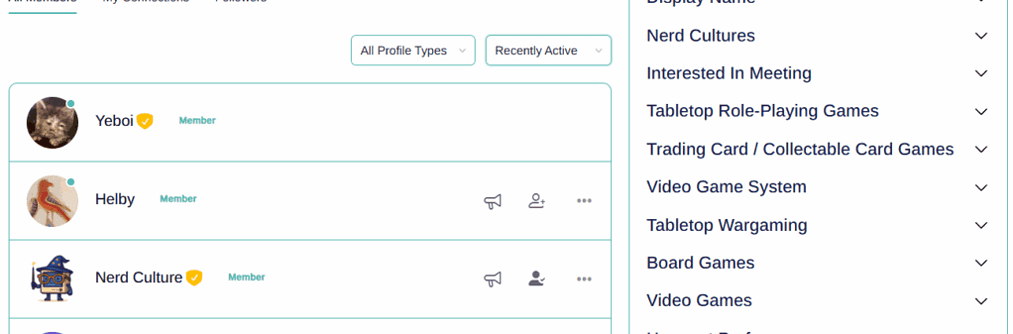
Discord connects you to servers. Nerd Culture connects you to people. Use Member Search to find friends who align with your exact interests, local or online.
How to choose the right Discord alternative for you
There’s no “best” Discord alternative, only the best Discord alternative for what you’re trying to build. If I had to give a friend a quick summary of my recommendations, it would be this: building a community and looking for others with shared interests? Go with Nerd Culture, and then check out Discourse or Reddit. You primarily game and need reliable voice? Use TeamSpeak or Mumble for voice quality, or Steam Chat for easy access. Privacy is most important to you? Use Signal for private messages, or Matrix with Element for a decentralized community experience. Looking for something similar to Discord? Try Stoat. Leading a team or workplace? Use Slack or Microsoft Teams, or Rocket.Chat and Mattermost if you prefer to host yourself.
One of the biggest issues users face when using Discord today involves finding and building real connections with like-minded people. The same can be said for platforms like Reddit, which is why so many people are now exploring Reddit alternatives that put community quality over sheer scale. If you’re looking for a Discord alternative that offers a safe, fun and effective way to not only build an online community, but grow it together with the right people, Nerd Culture will be the platform for you.
Ditch the dead servers. Find your people now
FAQs for finding your next Discord alternative
Who is Discord’s biggest rival?
It depends on your needs. For gamers looking for a voice-chat rival, it’s TeamSpeak. For teams, it’s Slack and Microsoft Teams. For something closer to a direct replacement of Discord itself, it’s Stoat. And for a platform to find your community and build on, it’s Nerd Culture.
Why are people moving away from Discord?
The main reasons in 2026 are the new push for age and ID verification, rising subscription costs, limits on moderation and servers as a community scales, and privacy concerns related to data and the lack of end-to-end encryption on chats.
What to use instead of Discord in 2026?
Top picks are Nerd Culture for community building, Stoat for a Discord-like app experience, TeamSpeak or Mumble for gaming voice, Signal or Matrix for privacy, and Slack or Microsoft Teams for professional work.
Is there a free Discord alternative?
Yes, Nerd Culture, Stoat, Mumble, Steam Chat, Signal, Telegram, and Reddit are all completely free, and Rocket.Chat and Mattermost are free to host yourself.
Is there a Discord alternative that doesn’t require ID or age verification?
Yes. Most of the open-source and privacy-focused platforms, such as Stoat, Mumble, Matrix with Element, and Signal, do not require a government ID to join. Signal does require a phone number, and for self-hosted platforms, your data lives on your own server.
What happened to Guilded?
Guilded was a gaming-focused Discord competitor owned by Roblox that was shut down on December 19, 2025, with its features absorbed into Roblox and its apps discontinued, which is why I do not recommend it.
About the Author
Steven Weingarth (aka ShibaSteve) is co-founder and CEO of Nerd Culture, a site that brings together communities for tabletop gamers, TCG players, and other hobbyists. He’s personally tested out dozens of alternatives to Discord and community platforms, informing the way Nerd Culture develops their moderation, discovery, and group-building tools.
Content last updated: October 11th, 2026